
The SQL Server Database Application Security & High Availability Checklist by Sarpedon Quality Lab
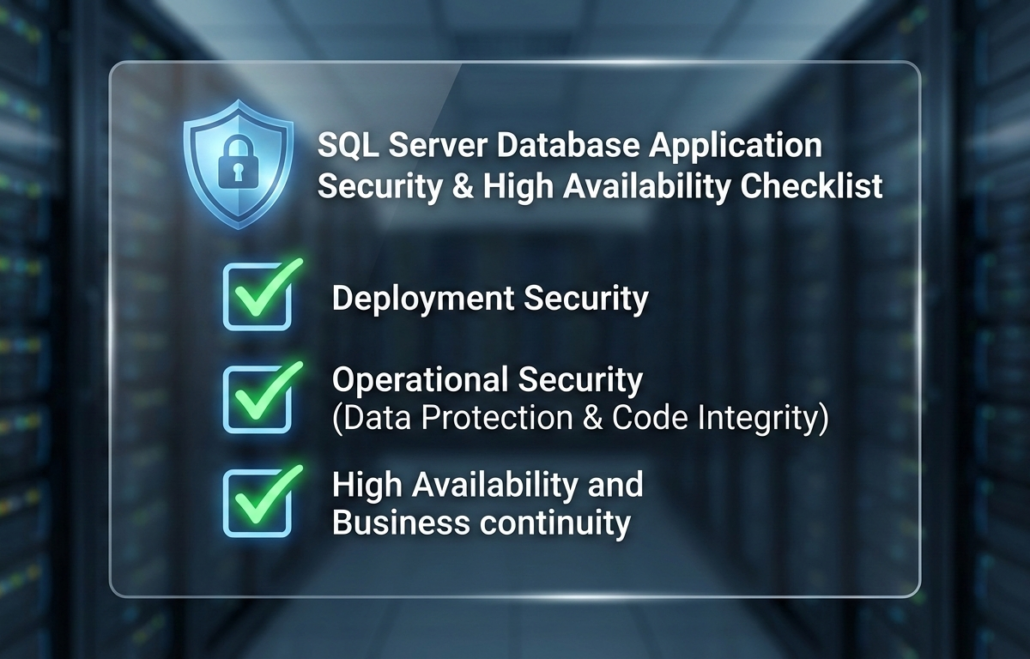
As a database application vendor, the security and reliability of your software are key competitive differentiators. As a Database Administrator, your priority is ensuring that hosted databases do not expose data or the environment to risk. To support this, we have developed a checklist designed as a blueprint for building secure-by-default, resilient data applications. Following this guidance not only helps you align with ISO 27001 controls but also ensures that your customers can trust your product against the backdrop of a demanding enterprise environment and an evolving threat landscape.
This list is also available as pdf here: SQLServerDatabaseApplicationSecurityandHighAvailabilityChecklist.pdf
Version 2, 2026/01/15
This list is structured into 3 buckets:
- Deployment Security
- Operational Security (Data Protection & Code Integrity)
- High Availability and Business continuity
1) Deployment Security
| Checklist item | Details |
| (D1) Can the database be pre-deployed by a DBA? |
Ideally, the DBA should be able to provision an empty database, after which the application setup can be pointed to that database and take full responsibility for creating the database schema and all required objects. This has 4 advantages: 1. Eliminates the need for server-level permissions, even on a temporary basis. 2. Simplifies a potential future migration to Azure SQL Database. 3. Provides the most efficient deployment workflow for Contained Availability Groups (also see here my remarks on Deployment: Why you should use SQL Server contained availability groups to save time – and why consultants may not tell you about them ) 4. Allows the DBA to optimize file placement which for fast-growing systems will become necessary eventually. The physical layout of your database should be transparent to the application and database-code. |
| (D2) Permissions for database-deployment |
If (D1 is impossible) The database-creation phase of an application setup should typically require no more than the CREATE ANY DATABASE permission. If SQL Agent jobs are involved, use the msdb roles (SQL Server Agent fixed database roles) – Other server level objects, if required, usually have distinct permissions as well. Membership in the sysadmin role is never required. Access to the Windows Host such as local Windows Administrator is never required. |
| (D3) Remove server-level permissions after setup |
If your application requires server-level permissions during setup, ensure that all such permissions can be revoked once setup is complete. Elevated privileges should be temporary and strictly limited to the installation phase. |
| (D4) Dedicated secure application identity |
Support using Group Managed Service Accounts (gMSA) for the Application service account, especially if it connects to database. (Using gMSAs provides automatic password management, reducing the risk associated with long-lived or manually managed passwords.) |
| (D5) Use Windows Authentication |
Use Windows Authentication instead of SQL Authentication to avoid transmitting and storing passwords. Requiring SQL Authentication may require the customer to prepare a dedicated SQL Server, as SQL Authentication is an Instance-level configuration and increases the attack-vector for all databases on the system. |
| (D6) Secure Credentials |
If SQL Server Authentication is required, ensure the setup enforces strong password policies and that connection strings are encrypted and never stored in plain text in config files. |
| (D7) Least privileges for temporary files |
When the deployment involves importing data from the file system using BULK INSERT, use a dedicated folder (network Share) and only grant the SQL Server Service account Read-permissions. – The application account does not need access to the files when using BULK INSERT.
For exporting data to the file system, the required permissions depend on the method used (e.g., bcp, SSIS, or custom code) and the account performing the operation. |
2) Operational Security (Data Protection & Code Integrity)
These are the operational standards that protect the database itself, addressing the most common application-level security-risks.
| Checklist item | Details |
| (O1) Permissions – Comply with the Principle of Least Privilege |
Application user accounts should not require membership in the db_owner role—let alone ownership of the database itself.
Most applications operate correctly with the following database database roles respectively permissions: · db_datareader · db_datawriter · EXECUTE permission on the database (preferably via a dedicated database role to comply with the LURP-model*) CREATE DATABASE ROLE db_executor GRANT EXECUTE to db_executor Applications that create or modify database objects during normal operation may also require membership in the db_ddladmin role. However, this role includes powerful permissions that can be abused for elevation-attacks. Therefore, it should be avoided unless absolutely necessary. It’s still better than requiring db_owner though. * LURP = Login -> User -> Role -> Permission |
| (O2) Schema-level permissions |
If your database supports multiple different processes, each accessing different areas (objects) of the database, you can further lock down permissions by using schema-level permissions, if your database-schema is developed with those processes in mind. Read here for further details:
Schema-design for SQL Server: recommendations for Schema design with security in mind |
| (O3) Encrypt sensitive data |
If your application stores sensitive data (PCI, HealthCare, PII), use data encryption to make sure no unauthorized user can read the data. (Do not confuse with TDE which works at the file-level: Protecting database data at rest: Transparent Data Encryption, Backup Encryption or Always Encrypted ). This can save millions of dollars in a breach! |
| (O4) Avoid Triggers |
Triggers can be abused for elevation-attacks. If the application requires triggers, sign triggers with a certificate (ADD SIGNATURE (Transact-SQL) so you can ensure to detect any tampering. |
| (O5) Avoid CLR |
CLR-code can contain malicious code that is difficult to detect and can be used for elevation-attacks. When using CLR-assemblies, use certificate-signed assemblies. Do not require the Trustworthy-database property. (also see O7) |
| (O6) Never construct dynamic SQL directly from user input and validate parameters |
To prevent SQL Injection, validate string- and binary-parameters. Never construct dynamic SQL directly from user input. |
| (O7) Do not set the Trustworthy-database option to ON |
Databases with the TRUSTWORTHY-property set to ON can be exploited for elevation-of-privilege (EoP) attacks that impact the entire SQL Server instance. Due to this high-risk exposure, customers should not co-host such databases with other databases on the same server.
Most scenarios that the TRUSTWORTHY-property is intended to address can be implemented securely using certificate-signed modules, which provide the required permissions without exposing the server to instance-wide privilege escalation. |
3) High Availability and Business continuity
| Checklist item | Details |
| (H1) Test application for common High Availability Technologies |
Understanding the differences between these technologies and testing your application’s behavior under each scenario helps ensure reliability, failover resilience, and proper connection handling.
· Failover Clustering · Availability Groups · Contained Availability Groups |
| (H2) Allow using DNS Alias instead of Hostnames or IPs |
To support Availability Groups, applications must connect via the Availability Group Listener Name, rather than directly to a specific replica. Ideally, use a DNS alias (CNAME), pointing to the Listener. Sarpedon Quality Lab recommends using DNS aliases for all database connections, to simplify future migrations and environment changes. |
| (H3) Always set MultiSubnetFailover=True in Connection String |
Always include MultiSubnetFailover=True in your connection strings to give customers using Availability Groups faster failover. This setting ensures fast reconnection during a failover even within the same subnets. If no Availability Group is used, this setting has no effect. |
By adopting these standards, you are not just ensuring compliance; you are guaranteeing that your application is secure by design, a critical assurance that builds confidence with every enterprise customer.
We hope that our checklist answers some of the common questions and is useful as a reference by both DBA’s and Application Developers.
Any feedback and input on refining this checklist is welcome!
Happy securing
Andreas


Leave a Reply
Want to join the discussion?Feel free to contribute!