

The ##MS_…## Server Roles in SQL Server 2022 and Azure SQL: What Each Role Can Do
Originally published on Microsoft Tech Community on 25 May 2022, written while I was Senior Program Manager for SQL Server and Azure SQL security at Microsoft. Republished here with minor edits. Read the original.
New server roles for Azure SQL Database and SQL Server 2022 in Public Preview: Database Management without admin-access
We are now releasing a new set of server roles which support server- and database management without using admin-accounts and in addition make administration at scale even easier to Public Preview.
The 4 additional roles are:
- ##MS_DatabaseConnector##
- ##MS_SecurityDefinitionReader##
- ##MS_DatabaseManager##
- ##MS_LoginManager##
– September 2021 we announced the first set of new server roles for Azure SQL Database: Server roles for Azure SQL Database: Database Management without admin-access
the previously released roles are:
- ##MS_DefinitionReader##
- ##MS_ServerStateReader##
- ##MS_ServerStateManager##
Benefit
The new server-roles that can be assigned to server logins to enable customers to assign and delegate job functions for server-wide metadata access and access to certain management commands without requiring Server Admin or AAD Admin privileges. This helps comply with the Principle of Least Privilege and implement role separation (sometimes also interchangeably referred to as Separation of Duties).
Technical background
Each of these new server-roles includes a specific set of permissions. In SQL Database those permissions cannot be assigned individually on the server scope but using those roles one can grant them to a Login. This is a new method to grant server permissions across a logical server and all databases hosted on that logical server in Azure SQL Database, aside from assigning Server/AAD Admin, which in many cases is considered too powerful.
In the following let’s have a look at each role individually:
##MS_SecurityDefinitionReader##
The ##MS_SecurityDefinitionReader##-role predominantly will be useful for read-only server-auditing where an auditor will need to see the contents of system-related static system metadata such as Login and User names, permissions of principals and role membership.
It has VIEW ANY SECURITY DEFINITION permission on the server, which covers and hence includes the VIEW SECURITY DEFINITION permission on any database that a principal in that role has access to.
##MS_DatabaseConnector##
This role is likely the most important new role as it allows members to connect to any database without requiring a User-account in the respective databases to connect to. In combination with the other new server roles, this essentially leads to the server level role-based permissions to inherit to the respective database scoped permissions.
This is because it holds the permission – holds CONNECT ANY DATABASE on server-scope, which then inherits the CONNECT permission on each database.
i.e., a member of ##MS_DatabaseConnector## + ##MS_ServerStateReader## will have the permission VIEW SERVER STATE + VIEW DATABASE STATE on all databases, without requiring Users to be created. This greatly simplifies permission assignment via roles at scale.
Tipp: To exclude specific databases on a given server from this “grant access to all”-concept, you can proceed as follows: create matching User-accounts for the given login in those databases and then DENY the CONNECT permission to the database-user. This DENY permission will overrule the GRANT CONNECT permission coming from this role.
The ability to grant the Connect-permission to all databases (without further permissions) makes this role the ideal counterpart for ##MS_ServerStateReader##, ##MS_DefinitionReader## and ##MS_SecurityDefinitionReader## server roles.
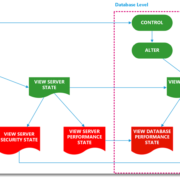
The following diagram shows how a Login “Juanita” is member of both the ##MS_DatabaseConnector## (green in diagram) and the ##MS_ServerStateReader## (blue) roles and in result can connect to any database and read any Server and database level DMV (Dynamic Management View).
The diagram shows that in addition to the Server level permissions (CONNECT ANY DATABASE and VIEW SERVER STATE), Juanita is also granted the respective inherited database-permissions (CONNECT and VIEW DATABASE STATE).
##MS_DatabaseManager##
Members of the ##MS_DatabaseManager## fixed server role can create and delete databases. A member of the ##MS_DatabaseManager## role that creates a database, becomes the owner of that database, which allows that user to connect to that database as the dbo user. The dbo user has all database permissions in the database. Members of the ##MS_DatabaseManager## role don’t necessarily have permission to access databases that they don’t own.
For Azure SQL Database, it is recommended to use this server role instead of the special dbmanager database level role that exists in master (Azure SQL DB only) and was previously used to reach the same goals but required a User account in master-database.
##MS_LoginManager##
Members of the ##MS_LoginManager## fixed server role can create and delete logins.
Just as with the ##MS_DatabaseManager##-role, for Azure SQL Database, it is recommended to use this server role over the special loginmanager database level role that exists in master and was previously used to reach the same goals but required a User account in master-database.
Summary
The new server roles in conjunction with the previous set enable customers to grant specific lower privileges to personnel that should not have full admin-permissions and by using the ##MS_DatabaseConnector##-role can do so in a scalable manner: for a whole logical server in Azure SQL Database.
When it comes to SQL Server 2022 (now in Public Preview), these roles could be imitated by creating custom server roles which are available in SQL Server, but including them as built-in roles the same way as for Azure SQL DB will hopefully enable simpler management from cloud to on-prem and for migration back & forth. Also we are aware that some customers often prefer to use built-in roles over custom roles per principle.
Limitations
- Role assignments may take up to 5 minutes to become effective. In addition, for existing sessions, changes to server role assignments do not take effect until the connection is closed and re-opened. This is due to distributed architecture between the master database and other databases on the same logical server.
Partial workaround: to reduce the up to 5-minute waiting period and ensure that server role assignments are current in a database, a Server Admin/AAD Admin can run DBCC FLUSHAUTHCACHE in the user database(s) on which the login has access. Currently logged on users still need to reconnect after this for the membership-changes to take effect on them. - These roles can be assigned to SQL Logins and AAD Logins. However, currently Group-based AAD Logins are not yet supported. This is functionality will be delivered later.
Further references:
- Link to documentation for the new server-roles in Azure SQL DB: Server roles – Azure SQL Database | Microsoft Docs
- Server-level roles – SQL Server | Microsoft Docs
- DBCC FLUSHAUTHCACHE (Transact-SQL) – SQL Server | Microsoft Docs
- What is a server in Azure SQL Database and Azure Synapse Analytics? | Microsoft Docs
- Azure SQL databases in logical servers, elastic pools, and managed instances – Microsoft Tech Community
- GRANT Database Permissions (Transact-SQL) – SQL Server | Microsoft Docs
- The Principle of Least Privilege (POLP) – Microsoft Tech Community
- First announced set of server roles: Server roles for Azure SQL Database: Database Management without admin-access – Microsoft Tech Community
Update 2026: Emad Al-Mousa found ways for members of ##MS_DatabaseManager## to escalate to sysadmin (CVE-2025-24999). The first one is fixed in the security updates for SQL Server 2022 CU23 and SQL Server 2025 CU2. I explain the attack paths and what they mean for the role’s ownership-based model in SQL Server Privilege Escalation via DatabaseManager-role and Part 2: The Ownership-Based Security Model.



Leave a Reply
Want to join the discussion?Feel free to contribute!